


Find the perfect colour palette for your home using our Lick Colours Tool

Transform the way you mood board with the Lick Colours tool.
Found an interior image you love? Now you can get a tailor-made colour palette inspired by your favourite Pinterest finds. Our quickest and most interactive decorating tool yet, simply upload your Pinterest mood board and we’ll automatically create a shoppable colour palette to match each image. Here's how...
Follow these 8 easy steps to turn your decor inspiration into a reality:
Step 1: Ensure you have a Pinterest account.
If you don’t, you create a new personal account to discover Pins and save them to boards.
Step 2: Create a Pinterest board with your favourite images pinned to it.
To do this:
Click “Create a board”
Title the board e.g. Living room
Search for inspiration. E.g. “Soho House style living room”
Pin the images you love to your new living room Pinterest board
Step 3: Follow the Lick Colours link.
Step 4: Authorise Lick Colours to have access to your Pinterest boards.
Step 5: Choose a board.
Step 6: Let Lick Colours work its magic!
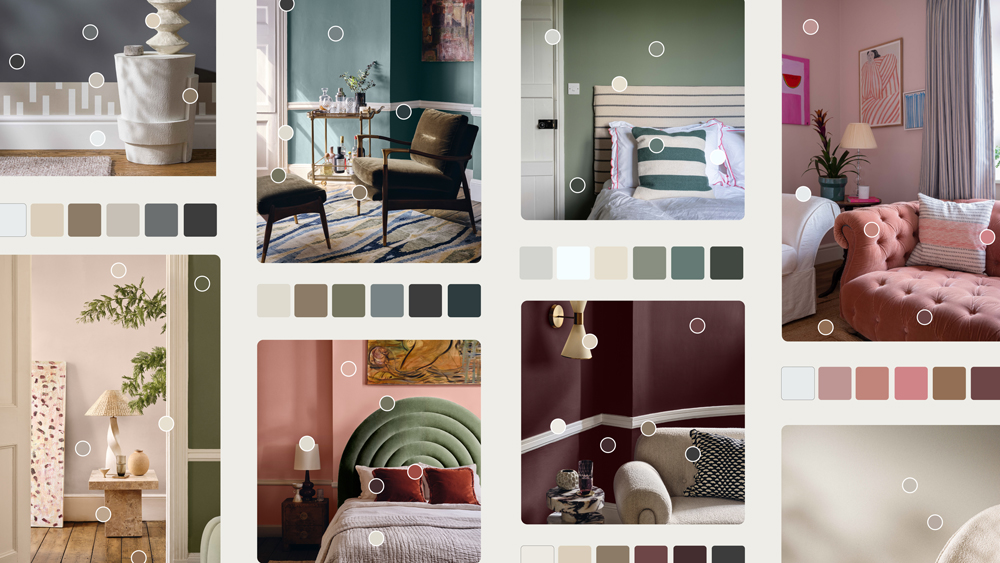
Step 7: Click on the colours below the image to see the Lick paint colours.
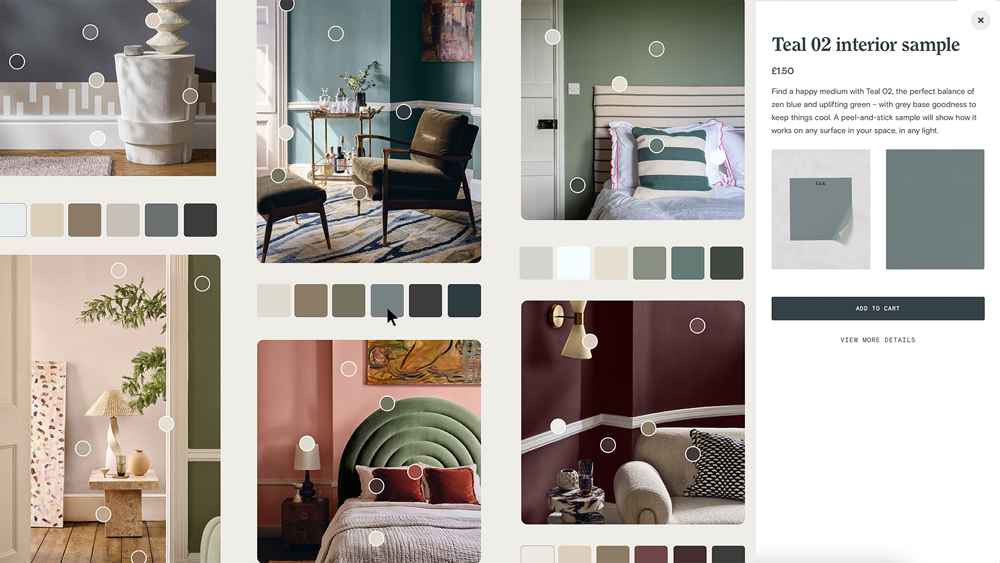
Step 8: Add samples to your cart.
With the click of a button, you can try out your personalised selection of peel-and-stick samples around your home.
And there you have it. It’s time to turn your pins into your perfect palette.